
X Sexy Video Downloader
Video Studio Browser AppsVideo Players & Editors
4.413.74K Reviews
- Version
- v-1.47
- Installs
- 50.00M
- Age Rating
- Everyone
Screenshots
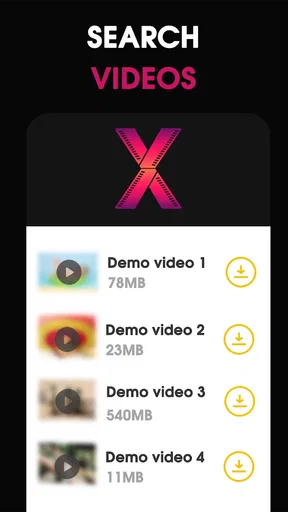
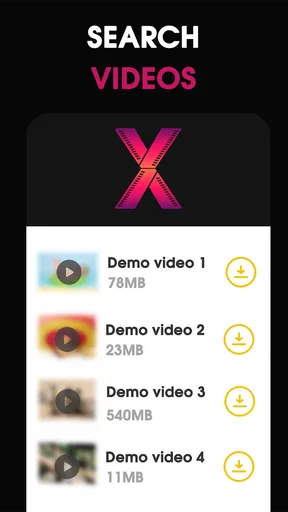
Our Review of X Sexy Video Downloader
 Analysis by Appyee
When I test a video app, I want to know one thing first: does it make the path from finding a clip to watching or saving it feel simpler, or does it add another layer of confusion? X Sexy Video Downloader is built around that narrow idea. It is a free video player and browser app from Video Studio Browser Apps, aimed at opening adult-oriented video pages and handling playback from within the same place. I found it more useful as a focused browsing tool than as a full creative application, and that distinction matters before you install it.
The app is listed for Everyone, although its purpose clearly makes it unsuitable for children and inappropriate for shared devices used by a mixed-age household. It runs on Android starting with version 5.0, and the current release is v-1.47. The store listing shows a 4.5 average from around 563 thousand ratings, with more than 50 million installs, so this is not an obscure experiment. Still, popularity does not automatically make it the right choice for every viewer. Its strengths come from being direct and specialized; its weaknesses come from the same narrow focus.
From finding a video to deciding what to keep
I find the key decision here is not simply whether to play a video, but whether it is worth keeping on the phone. A quick preview before saving can spare storage and make later browsing less cluttered; I would also consider who can access the device before downloading anything. That practical choice leads naturally to how I handle the app’s browser-and-playback flow.
A focused starting point for personal viewing
The creative starting point here is not recording or editing from scratch. Instead, it is locating video content through a built-in browser and deciding whether to play it immediately or keep a copy for later use. That makes the app closer to a combined browser, downloader, and player than to tools such as CapCut, KineMaster, or a conventional gallery player. Those alternatives are designed around making something new. This one is designed around accessing and managing video found online.
That focus can be convenient in an everyday situation. Imagine I am using an Android phone and want to watch a particular adult video without moving repeatedly between a website, a download screen, and a separate player. A single-purpose app can reduce that back-and-forth. I can browse, start playback, and decide whether downloading is worthwhile without first opening several unrelated tools. For someone who regularly handles this kind of content, that compact workflow is the main reason to consider it.
There is also a practical advantage to separating this activity from a general social or entertainment app. A dedicated player can make the viewing routine feel less cluttered than using a browser filled with unrelated tabs. However, I would not mistake that convenience for complete privacy. The app’s presence on a phone, downloaded files, browser activity, and ordinary device notifications can still reveal what the phone is being used for. I would think about the device owner, screen visibility, and shared storage before treating it as a discreet solution.
What the browser experience changes
Using a browser inside a video app changes the starting point compared with a normal media player. A standard player expects me to already have a file. Here, the first step is finding a compatible page and working out whether its video can be played or downloaded. That sounds minor, but it means the quality of the experience depends partly on the websites I visit, not just on the application itself.
My advice is to treat the built-in browser as a navigation tool rather than a guarantee that every page will behave perfectly. Pages can use different players, redirects, overlays, or delivery methods. A video that plays smoothly on one site may not offer the same controls or download behavior on another. When something fails, repeatedly tapping random buttons is usually less useful than returning to the page, closing unwanted overlays, and trying the visible video control again.
This is one of the app’s less obvious trade-offs: a dedicated downloader may feel more convenient than a general browser, but it does not remove the complexity of the web. If the site itself is poorly designed, the app cannot turn it into a clean, predictable source. Users who mainly watch videos from services with their own official applications may have a better experience staying inside those services, especially when offline viewing, account history, casting, and content controls matter.
Making a usable personal library
The “making” stage is really about assembling a local collection rather than producing a finished video. That can still benefit from a little planning. I would avoid downloading everything that looks interesting. Instead, I would decide whether a clip is genuinely useful offline, whether I have enough storage, and whether I can identify it later without opening several files one by one.
A simple workflow helps: play a video first, check that it is the version I want, then download only after confirming that the page is stable. Once a file is saved, I would rename it or place it in an organized folder using the phone’s file manager if the system allows it. That small step is more valuable than it sounds. Download tools often make acquisition easy but leave the user with a messy camera roll or a folder full of unclear filenames.
I would also keep temporary downloads separate from files I intend to retain. A short-lived file can consume the same space as something important, and removing it later becomes harder when everything is mixed together. This is a useful distinction between the app and a polished media library: X Sexy Video Downloader helps with access and playback, but I would still rely on Android’s storage tools for long-term organization.
Playback: where the app earns its place
As a player, the app’s value is straightforward. It gives downloaded or browser-sourced video a dedicated place to open instead of forcing me to search through unrelated applications. That can be especially helpful when the phone has several media apps installed and Android keeps asking which one should handle a file.
I would judge the playback experience by practical details rather than by the app’s adult positioning. Can I resume a partially watched clip? Does the video open without unnecessary steps? Can I move through a long file without constantly restarting it? These are the questions that affect daily use. The app’s store identity suggests a direct video workflow, but the actual result can still vary with file format, source page, and the phone itself.
One useful habit is to test a short section before leaving a download running. If the source is incomplete or the file behaves strangely, discovering that early saves time and storage. I would also avoid assuming that a video viewed in the browser has automatically become a permanent local file. Playback and downloading are separate actions, and treating them as identical can lead to confusion when a clip later disappears from the page.
Iteration means changing the workflow, not editing the video
In a normal creative app, iteration means trimming, adjusting sound, changing captions, and exporting several versions. That is not what this application is for. Here, iteration means refining how I search, preview, save, and organize content. If the first attempt feels awkward, the improvements come from changing the source page, reducing unnecessary downloads, and using a clearer storage routine.
For example, I might initially save files immediately and later realize that many are duplicates or poor-quality versions. A better second pass would be to preview first, compare the available versions, and keep only the one that suits my intended offline use. This is a small but concrete advantage of treating the app as a content intake tool rather than a button that should download everything automatically.
Another useful adjustment is to separate browsing sessions from library cleanup. I would browse and watch when I have time, then later review the download folder with a file manager. Mixing both tasks at once encourages impulsive saving and makes it harder to notice duplicate or unwanted files. The app can start the process, but a clean result depends on the habits around it.
Where it stops before the handoff
The handoff stage is the clearest limitation. If I want to send a finished project to a client, publish a polished social clip, add subtitles, remove a section, correct the framing, or combine several sources, this is not the tool I would choose. It belongs before editing, not after it. I would move the downloaded file into a proper editor for any creative transformation, then use that editor’s export controls for the final delivery.
That separation is important because downloading a video is not the same as having the right to republish it. Before sharing, uploading, or incorporating anything into a project, I would check the source’s permissions and applicable copyright rules. The app can help place a file on a device, but it does not make that file cleared for commercial, public, or collaborative use. For a creator working on client material, this legal and organizational handoff is more important than the convenience of the download button.
There is also a quality risk when moving between tools. A file that looks fine in the browser may not be ideal for editing, and repeated conversions can reduce quality. I would keep the original downloaded file untouched and make working copies before attempting edits elsewhere. That gives me a fallback if an editor changes the format, crops the image, or produces an export that does not suit the final destination.
How it compares with familiar alternatives
Compared with a regular browser, this app offers a more focused video path. A browser is better for general research, account-based services, and sites that require advanced navigation. This app is more appealing when I want a dedicated place for adult video playback and downloading rather than a general-purpose web session.
Compared with a standard media player, it starts earlier in the process. A player such as VLC is generally the better choice when I already have local files and need broad playback flexibility. X Sexy Video Downloader makes more sense when the source is online and I want browsing and video handling together. If my main need is simply opening files from storage, adding a specialized browser may be unnecessary.
Compared with official streaming applications, it may feel less tied to a particular service, but it also lacks the reassurance and integrated features that official apps often provide. Account synchronization, curated history, service-specific offline viewing, and clearer content controls can be more valuable than a general downloader. I would choose this app for a narrow workflow, not as my universal replacement for every video service.
And compared with creative editors, the difference is even larger. Editors are the right choice for turning raw material into something publishable. This app is useful at the intake stage, when the job is to locate and watch a source or store it for later consideration. Expecting it to trim, caption, mix, or deliver a finished production would lead to disappointment.
Who should use it, and who should skip it
I can recommend it to an adult Android user who wants a straightforward way to browse and play adult video content, occasionally save files for offline viewing, and keep that activity separate from a general browser. The free price also lowers the barrier to trying it, provided the user is comfortable with the app’s narrow purpose and understands that downloaded media still needs personal organization.
I would skip it if I need a serious editing suite, a polished publishing workflow, or a dependable solution for professional content delivery. I would also avoid installing it on a shared family tablet or a work phone where the app’s subject matter could create an awkward or inappropriate situation. People who care most about strict service integration, synchronized libraries, or official offline features may be happier with the individual platforms they already use.
The Everyone label should not be read as a recommendation for every age group. The app’s stated purpose is adult-oriented, so responsible use depends on the person holding the device and the environment around it. I would keep the phone locked, review where files are stored, and avoid opening content where other people can see the screen. Those are ordinary precautions, but they matter more here than they would with a general video player.
My creator-focused verdict
After looking at the complete path from discovery to handoff, I see X Sexy Video Downloader as a specialized intake and playback utility, not a creative production app. Its best moment is early: I find a video, preview it, play it, and save it when offline access genuinely helps. Its weakest moment is the point where I expect a finished asset, because the app does not replace an editor, a file manager, a publishing platform, or a rights-checking process.
The large installed base and 4.5 average suggest that many people find this focused approach useful, but I would still make the decision based on workflow rather than popularity. The developer, Video Studio Browser Apps, has positioned it for a very specific kind of video browsing, and that specificity is both its advantage and its boundary. It works best when I treat it as a source-to-device bridge, not as an all-purpose video studio.
My final recommendation is therefore conditional but positive for the right user. If you want a free Android app that combines adult video browsing, playback, and downloading in one place, it is worth considering. Start with a small test, organize saved files immediately, keep original downloads separate from edited copies, and use a dedicated editor when the goal shifts from watching to creating. If you need professional handoff, broad media management, or a safer shared-device experience, choose a different tool instead.
Verdict
Strengths of X Sexy Video Downloader
- Simple interface makes downloading videos quick for new users.
- Supports saving videos for offline viewing without needing constant internet access.
- Download progress is easy to monitor from the main screen.
- Works well for users who want to organize saved clips locally.
- Lightweight design generally uses little storage and system resources.
Limitations of X Sexy Video Downloader
- Adult content may not be suitable for all users or shared devices.
- Privacy and security risks can arise when downloading videos from unknown sources.
- Some downloads may fail when websites change their video protection.
- Downloaded files can consume storage quickly, especially at high quality.
- Availability and features may vary across Android and iOS versions.
Similar Picks in This Category
View All
Google TV
Google LLC3.9

iTunes
Apple4.7

YouTube
Google LLC3.8

MX Player
Amazon Mobile LLC4.2

CapCut - Video Editor
Bytedance Pte. Ltd.3.5

PLAYit-All in One Video Player
PLAYIT TECHNOLOGY PTE. LTD.4.5
Frequently Asked Questions
What is X Sexy Video Downloader, and what does it do?
X Sexy Video Downloader is presented as a tool for saving online videos to a mobile device for later viewing. Before installing it, users should understand which websites and formats it supports, whether downloads are available only through an in-app browser, and whether the app is officially connected to the platforms where videos are hosted. Its actual features may vary by version and region.
Is X Sexy Video Downloader safe to install and use?
Safety depends largely on where the application is downloaded and what permissions it requests. Install it only from a reputable, verified source, check the developer information, and review recent user feedback. Be cautious if the app asks for unnecessary access to contacts, messages, accessibility services, or device administration. Also scan downloaded files and avoid suspicious pop-ups or redirected installation packages.
Can I download any video with X Sexy Video Downloader?
No downloader can guarantee support for every website or video. Compatibility may depend on the hosting service, privacy settings, encryption, file format, regional restrictions, and changes made by the website. Some videos may require an account or may not be downloadable at all. Test the app with content you are legally allowed to save before relying on it for regular use.
Is it legal to download videos using this application?
The legality depends on the video, the platform’s terms of service, and the laws in your country. Downloading content that you own, have permission to use, or that is explicitly offered for offline access is generally the safest approach. Saving copyrighted or private videos without authorization may violate rights or platform rules. Always respect creators, privacy, and applicable copyright regulations.
Does X Sexy Video Downloader work on Android and iPhone?
Availability and functionality can differ significantly between Android and iOS. Android may permit more flexible file management, while iOS applies stricter App Store and system restrictions, meaning some downloader features may be limited or unavailable. Check the official store listing, supported operating-system versions, privacy information, and recent reviews for your specific device before downloading or paying for any premium option.
